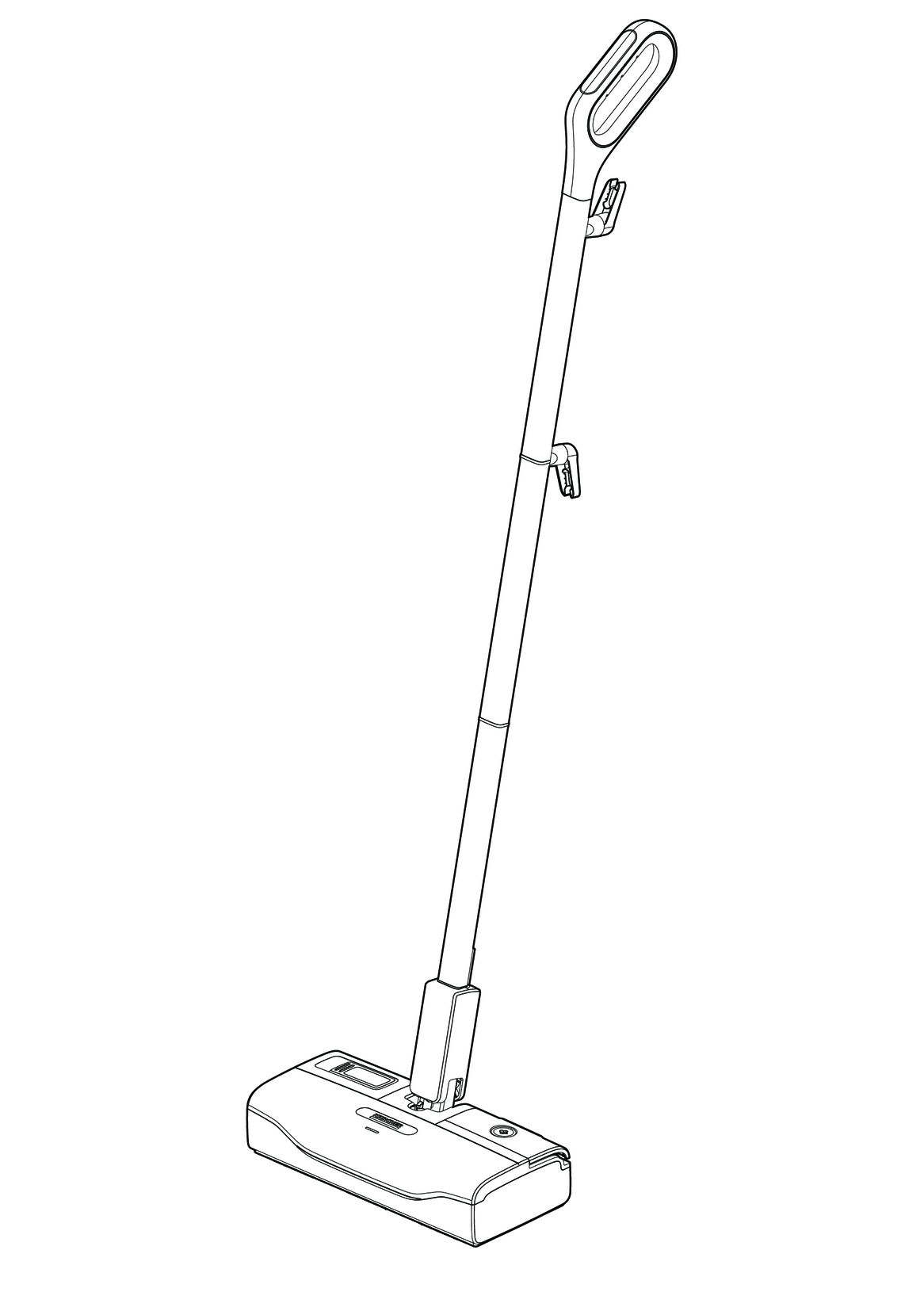
SC 1 Upright KST 1 Upright
97740530 (05/23)
97740530 (05/23)
 Read these original operating instructions and the enclosed safety instructions before using the device for the first time. Proceed accordingly.
Keep both books for future reference or for future owners.
Use the device only in private households for cleaning level hard floors (e.g stone floors, tiles, PVC floors, as well as sealed wooden floors such as parquet and laminate) that can withstand the high temperature, pressure and moisture of the device. Do not clean any water-sensitive coverings such as untreated cork floors (moisture can penetrate and damage the floor).
Cleaning agents are not required.
 The packing materials can be recycled. Please dispose of packaging in accordance with the environmental regulations.
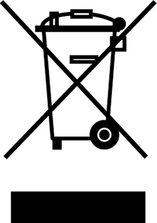 Electrical and electronic devices contain valuable, recyclable materials and often components such as batteries, rechargeable batteries or oil, which - if handled or disposed of incorrectly - can pose a potential danger to human health and the environment. However, these components are required for the correct operation of the device. Devices marked by this symbol are not allowed to be disposed of together with the household rubbish.
Current information on content materials can be found at: www.kaercher.de/REACH
Only use original accessories and original spare parts. They ensure that the appliance will run fault-free and safely.
Information on accessories and spare parts can be found at www.kaercher.com.
The scope of delivery for the appliance is shown on the packaging. Check the contents for completeness when unpacking. If any accessories are missing or in the event of any shipping damage, please notify your dealer.
Missing or modified safety devices
Safety devices are provided for your own protection.
Never modify or bypass safety devices.
(according to type of appliance)
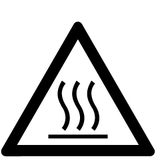 | Risk of burns, surface of appliance becomes hot during operation |
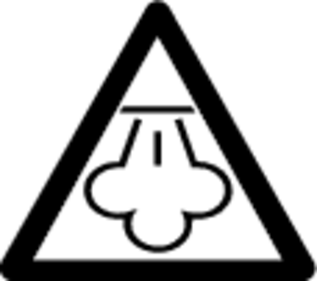 | Risk of scalding from steam |
| Read operating instructions |
In the case of excessively high pressure in the event of a fault, a safety valve relieves the pressure into the atmosphere.
The fuse prevents the device from overheating. If the device overheats, the fuse disconnects the device from the power supply.
Before re-commissioning the device, contact the responsible KÄRCHER Customer Service.
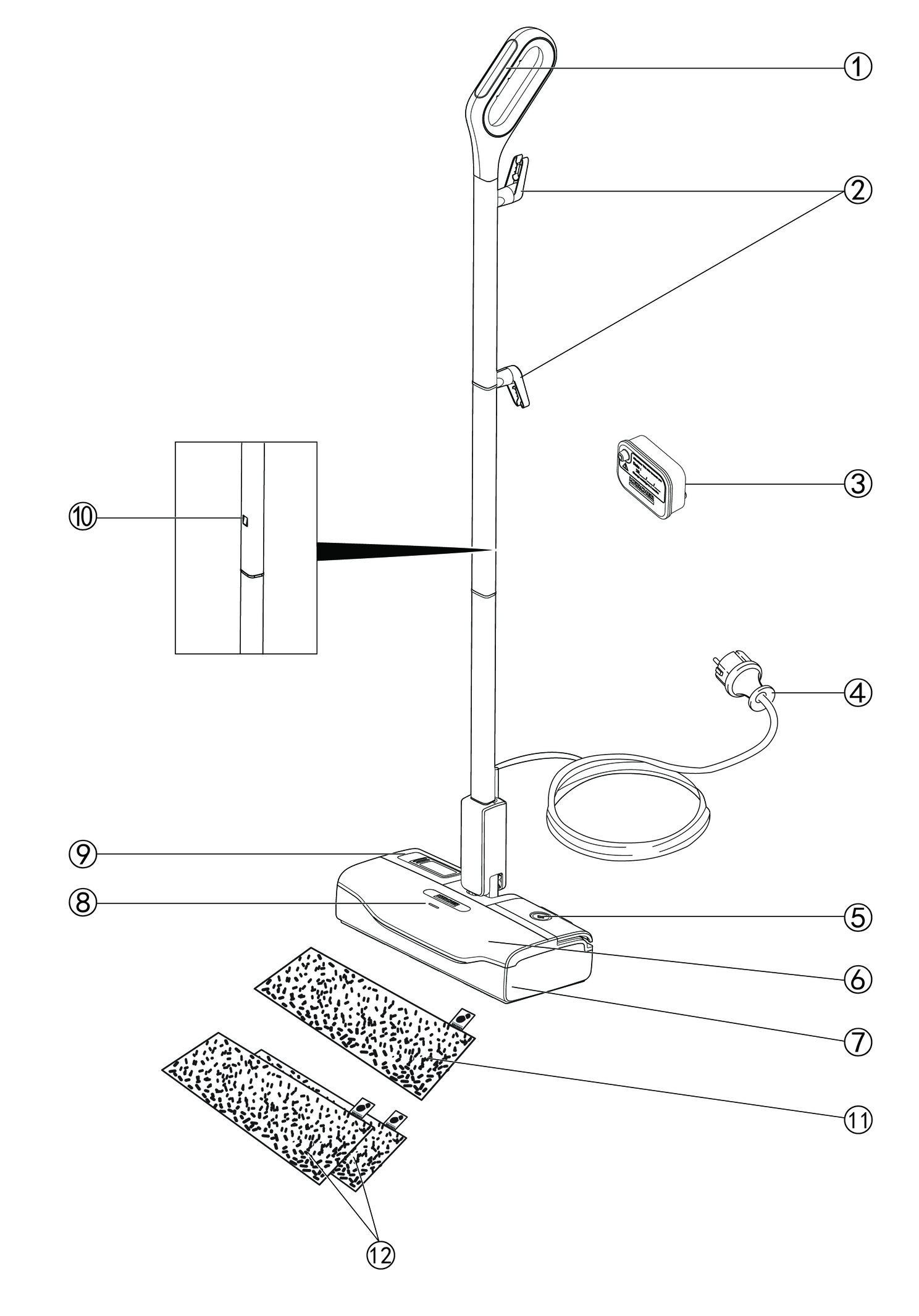
The maximum amount of equipment is described in these operating instructions. Depending on the model used, there are differences in the scope of delivery (see packaging).
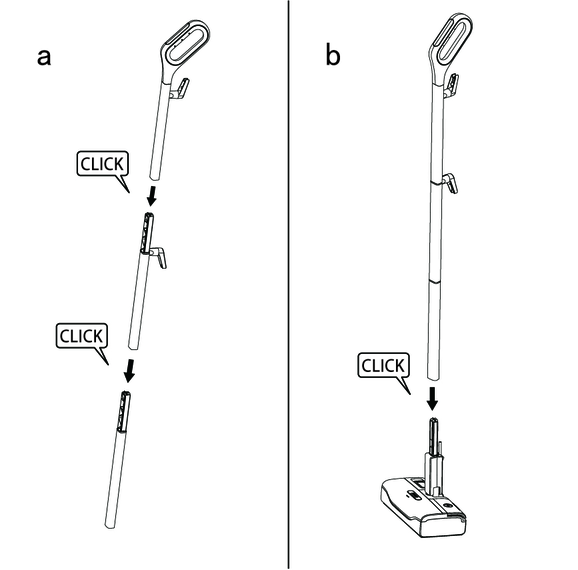
Fit the three parts of the device handle into each other in order until it audibly latches into place.
Hold the basic device firmly.
Fit the device handle all the way to the end stop into the basic device until it audibly latches into place.
The device handle must sit tightly in the device.
Attach the floor cleaning cloth to the floor head.
Place the floor cleaning cloth with the hook and loop strips pointing upwards on the floor.
Place the floor head onto the floor cleaning cloth, applying slight pressure.
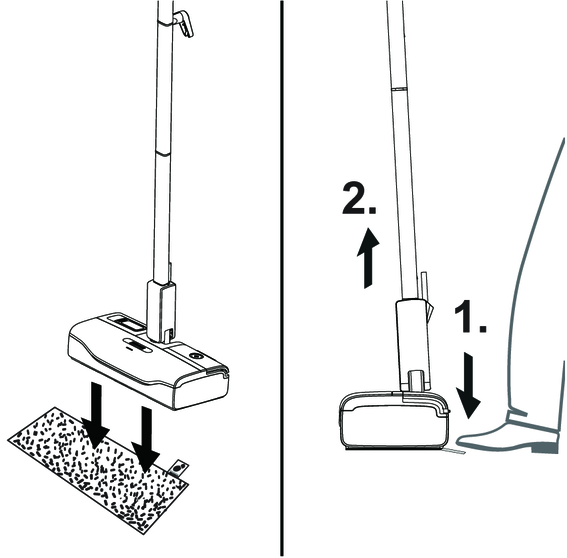
The floor cleaning cloth will stick to the floor head of its own accord due to the hook and loop fastener.
Device damage due to calcification
Always work with a decalcification cartridge.
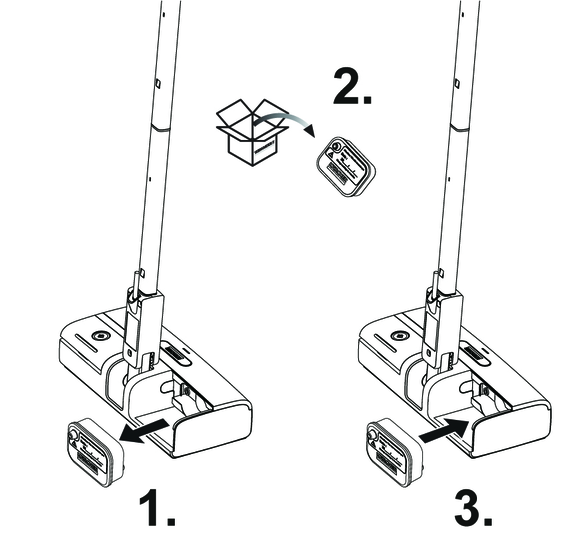
Press the latching hook of the water reservoir upwards and pull out the water reservoir.
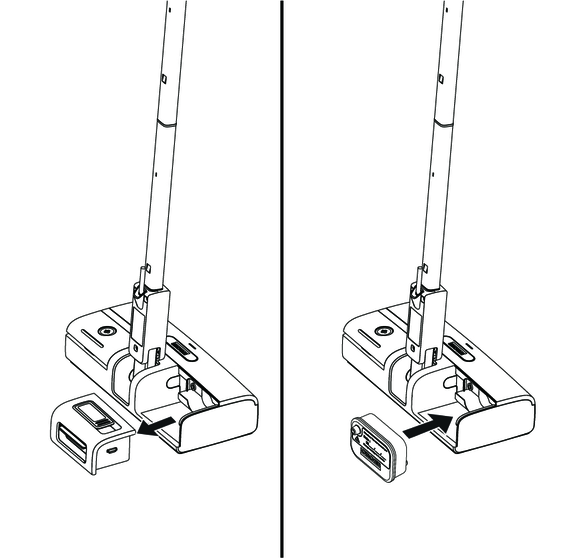
Unpack the decalcification cartridge.
Write down the first use date of the decalcification cartridge on the warning label.
Please label with a waterproof pen.
Insert the decalcification cartridge into the device and press it firmly into place.
Please replace the decalcification cartridge in 4 months or a flow of approx. 15 l of water.
The water reservoir can be filled at any time.
Material damage through open reservoir cover or incorrectly seated or loose water reservoir
Liquid can escape and damage the floor covering if the reservoir cover is not correctly closed or the water reservoir is not correctly inserted into the device.
Take care to ensure that the reservoir cover is securely closed and the water reservoir is seated tightly in the device when the water reservoir is full.
Damage to the device
Unsuitable water can block the nozzles.
Do not use condensation from the clothes dryer for filling.
Do not use collected rain water for filling.
Do not use cleaning agents or other additives (e.g. scents) for filling.
Hold the device firmly.
Open the reservoir cover, and turn it to the side.
Fill with max 0.2 l tap water directly at the device.
Close the reservoir cover.
Press the latching hook of the water reservoir upwards and pull out the water reservoir.
Open the reservoir cover, and turn it to the side.
Fill with max 0.2 l tap water.
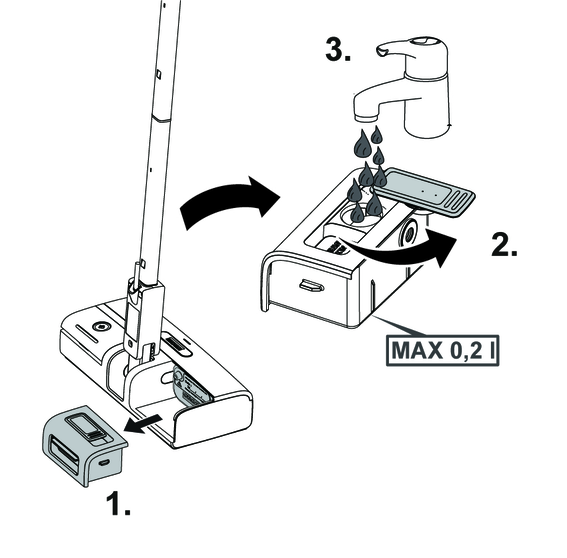
Close the reservoir cover.
Insert the water reservoir and press it firmly into place.
Risk of electric shock
If the power cable is not completely unwound, the danger exists of you straining and damaging the power cable by overestimating the range of the cable.
Always completely unwind the power cable.
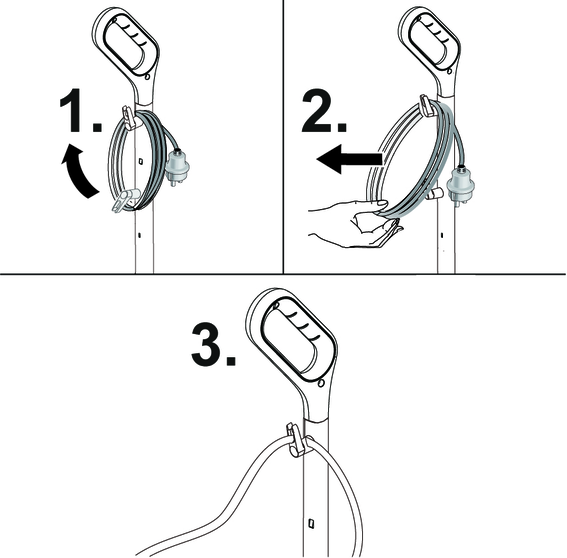
The lower cable holder can be rotated by 360° for removing the cable. The upper cable hook cannot be rotated.
Turn the lower cable holder upwards.
Remove the power cable completely from the cable hook.
Fasten the cable in the fastener of the upper hook to prevent it from being run over during cleaning work.
When steaming for the first time after removing and reinserting the decalcification cartridge, the steam jet maybe weak or irregular, and individual drops of water may be expelled. The device requires a short running-in period in which the decalcification cartridge fills with water.The steam volume that is expelled increases constantly until the maximum steam volume has been reached after approx. 20 seconds.
Place the device on a firm surface.
Plug the mains plug into a mains socket.
The power-on indicator light lights up constantly green.
After waiting for approx. 30 seconds, the device is ready for use.
Press the steam on/off switch by foot. The steam comes out.
If there is a water shortage, the pump sounds loud and there’s no visible steam.
When the water is refilled, the decalcification cartridge remains fixed in the device.
The device is equipped with dry-run protection for the pump. If the pump runs dry for a longer period, e.g. because the decalcification cartridge and the water reservoir are not correctly inserted, the pump is overheating and switches off. To be able to operate the device again, the device has to be switched off and wait the pump to be cool down for approx. 10 minutes. In the process, you must make sure that the cartridge and the water reservoir have been inserted correctly and there is enough water in the water reservoir.
Press the steam on/off switch by foot. The steam stops in few seconds.
Open the reservoir cover, and fill the water reservoir with max. 0.2 l tap water directly at the device.
or
Remove the water reservoir, open the reservoir cover, and fill with max. 0.2 l tap water, see chapterFilling water.
Material damage due to condensate/moisture
The floor covering can be damaged by moisture remaining on the floor cleaning cloth or device after cleaning.
Remove the floor cleaning cloth and dry the device after finishing the cleaning work.
Do not place or store the device on heat-sensitive surfaces.
Damage to the material and the device
The floor covering and the device can be damaged by consistently steam while the device stands still.
Switch off the device every time you leave.
Press the steam on/off switch by foot. The steam stops in few seconds.
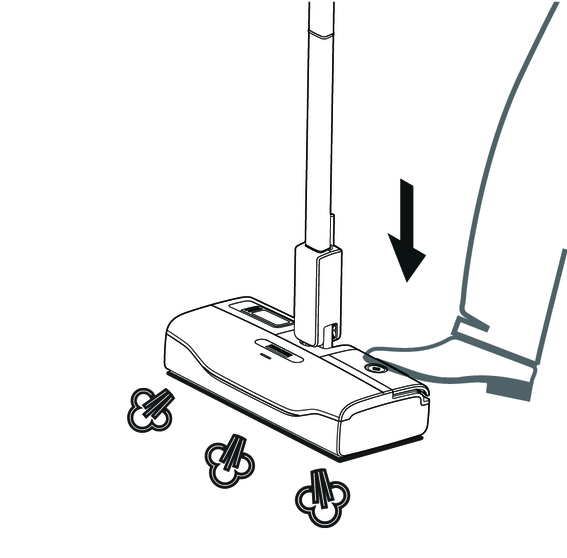
In order to save energy, we recommend that you switch off the device for breaks in operation of longer than 20 minutes.
Press the steam on/off switch by foot. The steam stops in few seconds.
Pull the mains plug out of the socket.
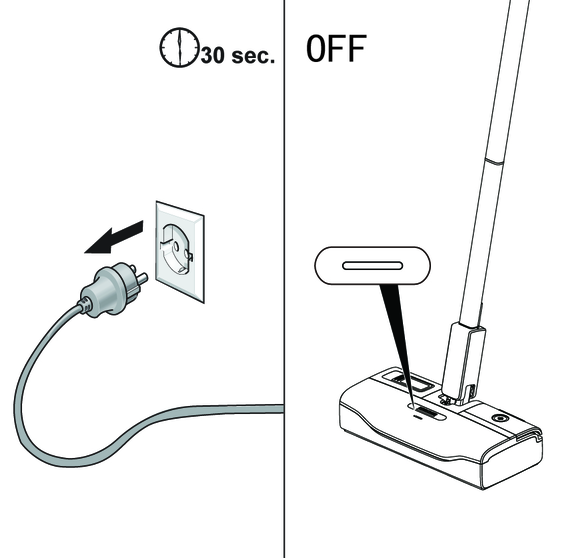
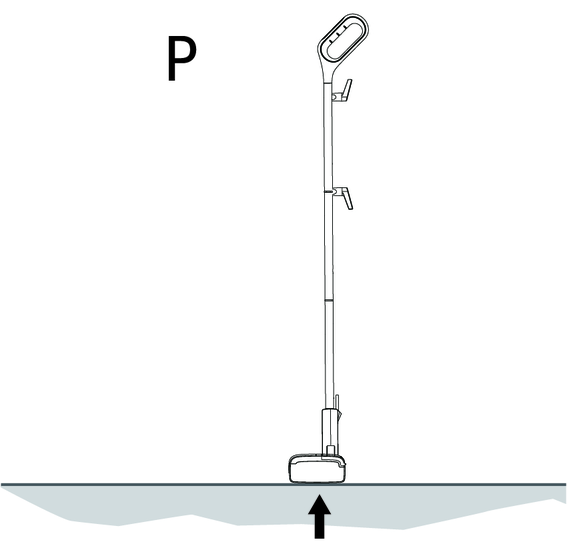
Park the device.
Press the steam on/off switch by foot. The steam stops in few seconds.
Pull the mains plug out of the socket.
To drain the water reservoir, see chapterDraining the water reservoir.
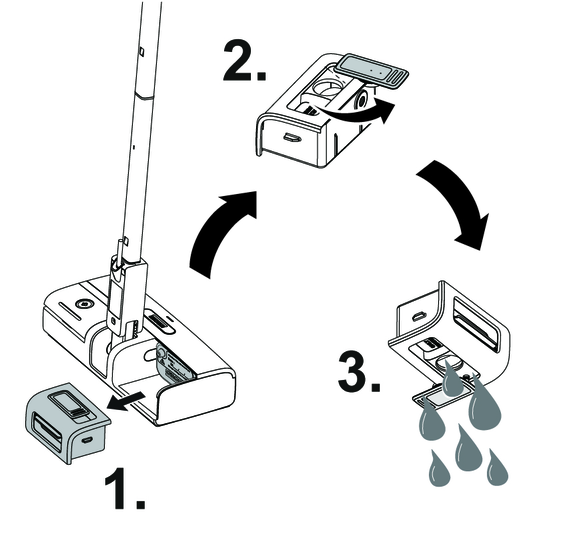
To remove the floor cleaning cloth, see chapterHow to use the Accessories.
Remove the moisture from the device.
Wind the power cable around the lower and upper cable hooks.
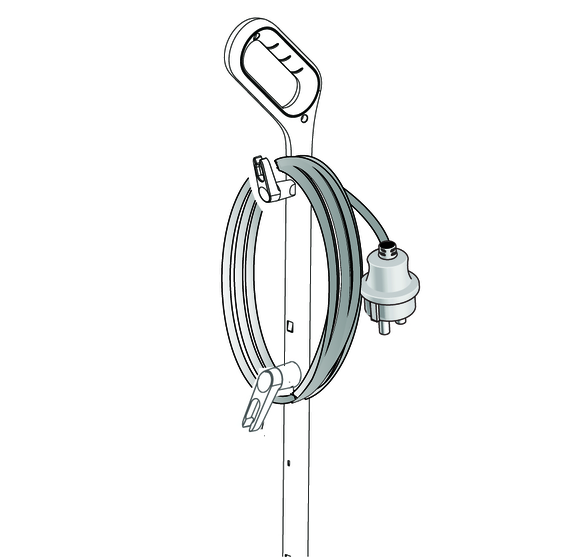
Store the device in a dry location that is protected from frost.
We recommend sweeping the floor or vacuum cleaning it before using the appliance. In this way the floor will be cleared of dirt and loose particles before the wet cleaning.
The device is suitable for cleaning washable floor coverings, e.g. stone floors, tiles and PVC floors, as well as sealed wooden floors such as parquet and laminate.
Damage due to steam effect
Heat and the effects of steam can lead to damage.Check the heat resistance and steam effect on an inconspicuous area using a minimal volume of steam prior to use.
Do not remain the steam in the same position on the sealed wooden floors for too long.
Detergent residues or care emulsions on the surface to be cleaned can cause streaks during steam cleaning, but these disappear after repeated use.
Beware of burns to your feet
The floor head/floor cleaning cloth heats up during steaming.
Hot water may drip out when pulling off the floor cloth.
Only operate or remove the floor head/floor cleaning cloth with suitable footwear.
For fastening the floor cleaning cloth to the floor head, please refer to chapterHow to use the Accessories
The floor cloth is suitable for cleaning stone floors, tiles and PVC floors, and also sealed wooden floors such as parquet and laminate.
Please make sure the device is switched off before removing the floor cleaning cloth.
Place one foot on the bottom corner of the floor cleaning cloth and lift the floor head up.
Initially, the floor cleaning cloth's hook and loop fastener strip is very strong and cannot be removed from the floor head easily. After the floor cleaning cloth has been used several times and washed, it is easier to remove from the floor head and it has reached the optimum adhesion.
Device damage due to water putrefaction
If the device is not put into operation for more than 2 months, the water in the reservoir may putrefy.
Drain the water reservoir before breaks in operation.
Remove the water reservoir and open the reservoir cover.
Drain the water reservoir.
Device damage and shortened service life
Please replace the decalcification cartridge in 4 months or a flow of approx. 15 l of water. If the decalcification cartridge is not replaced in time, there is a risk of device damage and the service life of the device may be shortened.
Write down the first use date of the decalcification cartridge on the warning label.Please label with a waterproof pen.
The anti-calcification effect of the decalcification cartridge is activated as soon as the reservoir is filled with water, and the device is put into operation. Lime in the water is absorbed by the granulate in the decalcification cartridge. Additional descaling is not required.
The granulate in the decalcification cartridge may change colour after it comes into contact with water. This depends on the mineral content in the water. This discolouration is harmless and does not have a negative effect on the device, the cleaning work or the functionality of the decalcification cartridge.
Device damage
There is a risk of damage to the device if the used decalcification cartridge is re-used.
Work carefully in order to prevent mixing up the cartridges.
When steaming for the first time after removing and reinserting the decalcification cartridge, the steam jet may be weak or irregular, and individual drops of water may be expelled. The device requires a short running-in period in which the decalcification cartridge fills with water. The steam volume that is expelled increases constantly until the maximum steam volume has been reached after approx. 20 seconds.
Remove the water reservoir before removing and installing the decalcification cartridge.
Press the steam on/off switch by foot. The steam stops in few seconds.
Pull the mains plug out of the socket.
Remove the water reservoir and open the reservoir cover.
Remove the decalcification cartridge.
Write down the first use date of the new decalcification cartridge on the warning label.
Please label with a waterproof pen.
Insert the new decalcification cartridge and press it firmly into place.
Insert the mains plug into a socket.
Press the steam on/off switch and wait for approx. 20 seconds to vent the decalcification cartridge.
(Accessories - depending on scope of delivery)
The cloths are not suitable for dryer.
Observe the instructions on the washing tag when washing the cloths. Do not use any liquid softeners as this will affect the ability of the cloths to pick up dirt.
Wash the floor cleaning cloths in a washing machine at a max. temperature of 60 °C.
Malfunctions often have simple causes that you can remedy yourself using the following overview. When in doubt, or in the case of malfunctions not mentioned here, please contact your authorised Customer Service.
Risk of electric shock and burns
Trying to eliminate faults while the appliance is connected to the mains or has not yet cooled down is always dangerous.
Remove the mains plug.
Allow the appliance to cool down.
The pump sounds loud and there is no steam.
Cause:
No water in the water reservior.
Remedy:
Fill the water in the water reservior.
No steam / little steam although there is sufficient water in the reservoir
Cause:
The decalcification cartridge has not been inserted or has been inserted incorrectly.
Remedy:
Fit the decalcification cartridge and/or check that the decalcification cartridge sits tightly in the device and press in again if necessary.
Cause:
A new decalcification cartridge has been fitted.
Remedy:
Press the steam on/off switch and make sure the pump is working by the pump sound.
The full steam output is reached after approximately 20 seconds.
Cause:
The water reservoir has not been installed in place.
Remedy:
Check that the water reservoir is installed in place and press in again if necessary.
The warranty conditions issued by our sales company responsible apply in all countries. We shall remedy possible malfunctions on your device within the warranty period free of cost, provided that a material or manufacturing defect is the cause. In a warranty case, please contact your dealer (with the purchase receipt) or the next authorised customer service site.
You can find more detailed information at: www.kaercher.com/dealersearch
Electrical connection | |
Voltage | 220-240 V |
Phase | 1 ~ |
Frequency | 50-60 Hz |
Degree of protection | IPX4 |
Protection class | I |
Device performance data | |
Heating capacity | 1300 W |
Heating-up time | 30 Seconds |
Filling quantity | |
Water reservoir | 0.2 l |
Dimensions and weights | |
Weight (without accessories) | 2.0 kg |
Length | 314 mm |
Width | 147 mm |
Height | 1197 mm |